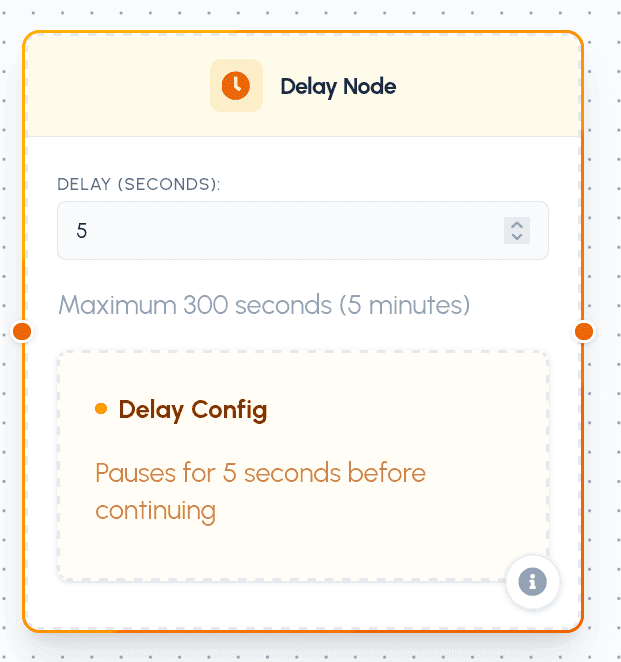
The Delay Node introduces timed pauses into your agent's execution flow. It temporarily suspends execution for a specified number of seconds before releasing the flow to the next node.
Configuration
Setting up a Delay Node is simple and requires only a single parameter:
Parameters
- Delay (seconds): A numerical input defining how long (in seconds) the flow should pause. The maximum allowed delay is 300 seconds (5 minutes).
Port Connections (Handles)
The Delay Node fits seamlessly into any standard linear flow:
- Input (
nodeInputConnect): Standard input handle on the left to connect preceding nodes. - Output (
outputConnect): Standard output handle on the right. Once the configured delay timer expires, the flow automatically resumes and proceeds to the next connected node.
Practical Use Cases
- API Rate Limiting: Place a Delay Node inside a loop sequence to introduce a gap (e.g., 2 seconds) between successive requests to respect external API rate limits or avoid getting blocked.
- Simulating Natural Interactions: In chat-based agents, introduce a short delay (e.g., 1–3 seconds) before responding to simulate "thinking" time, creating a more comfortable, human-like interaction for users.
- Asynchronous Waiting: Coordinate execution with external systems. If an external job is triggered, use a Delay Node to wait a reasonable duration before querying for the result.