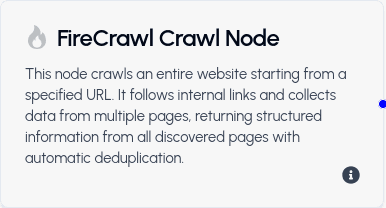
Purpose: Traverse a website and collect content from all accessible subpages.
Overview
The Crawl function automatically navigates through a website, discovering and retrieving content from all connected pages. It's ideal for comprehensive data collection across entire websites without requiring a sitemap.
When to Use
- Gathering data from an entire website
- Building a complete content inventory
- Collecting information across multiple related pages
- Understanding website structure and content distribution
- Archiving website content
Key Features
- Automatic Discovery: Finds and crawls all accessible subpages
- No Sitemap Required: Works without needing a pre-built sitemap
- Comprehensive Coverage: Collects content from the entire website structure
- Configurable Format: Returns content in your specified format
- Respects Site Structure: Follows the website's internal linking
Limitations
- Max Crawl Limit: 10 pages maximum per crawl operation
- Scope: Limited to accessible, linked pages from the starting URL
- Rate Limiting: Respects website server limits and robots.txt rules
Input Requirements
- Starting URL: The root or entry point of the website to crawl
- Format Preference: Desired output format (markdown, JSON, etc.)
Output
- Content from All Pages: Organized content from up to 10 crawled pages
- URL Mapping: List of all pages discovered and crawled
- Structured Format: Content organized according to your specified format
Example Use Cases
- Collecting all product listings from an e-commerce site
- Gathering documentation from a knowledge base
- Archiving a small website's complete content
- Analyzing content across multiple related pages
- Building a content database from a website